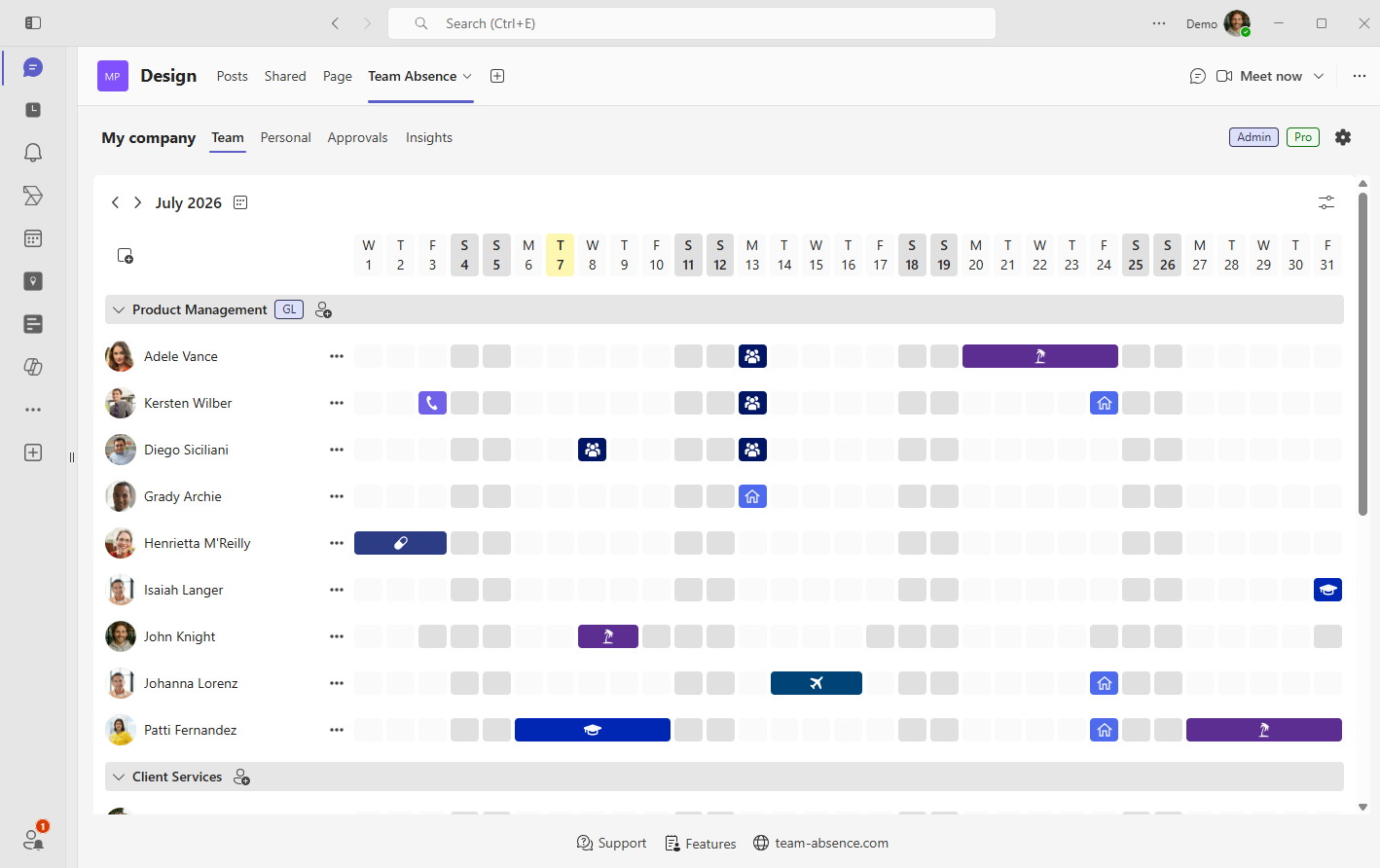
Managing vacation, paid time off (PTO), sick leave, remote work, and other absences becomes easier when the process is available where employees already collaborate. Team Absence is an absence management app for Microsoft Teams that combines a visual planning board, structured absence entries, optional approvals, and Outlook synchronization.

This guide explains how Team Absence supports leave management in Microsoft Teams and walks through the initial setup—from installing the app to creating a board and recording the first PTO absence.
Why absence management belongs in Microsoft Teams
Microsoft Teams is where teams coordinate work, schedule meetings, assign responsibilities, and make day-to-day decisions. Bringing absence management into the same workspace puts availability in view before meetings, deadlines, and staffing decisions are finalized. Teams can plan ahead instead of discovering conflicts after work is already underway.
The benefit is a smoother workday for everyone. Employees record their availability where they already collaborate, managers spot overlapping absences and coverage risks sooner, and coworkers can schedule handovers with fewer status questions. A dependable team view also reduces duplicate updates across emails, spreadsheets, and personal calendars.
- Who is absent today or next week?
- Do several employees have overlapping PTO?
- Is the right coverage available during a deadline?
- When should a handover take place?
- Who is working remotely rather than unavailable?
The result is less coordination overhead and more confident planning: reliable availability becomes part of the conversations that already happen in Microsoft Teams.
From disconnected PTO tracking to one absence workflow
Chat messages, email requests, spreadsheets, and personal calendar entries can each hold part of an absence process. The difficulty begins when the same dates have to be maintained in several places.
Team Absence can therefore work as a simple Microsoft Teams absence tracker for a small team and as a structured employee absence management solution for departments, projects, and growing organizations.
How to install and set up Team Absence in Microsoft Teams
Start with one team, department, or project whose members need to plan availability together. The initial setup is fast and takes just four practical steps, without requiring detailed board configuration.
Add Team Absence to Microsoft Teams
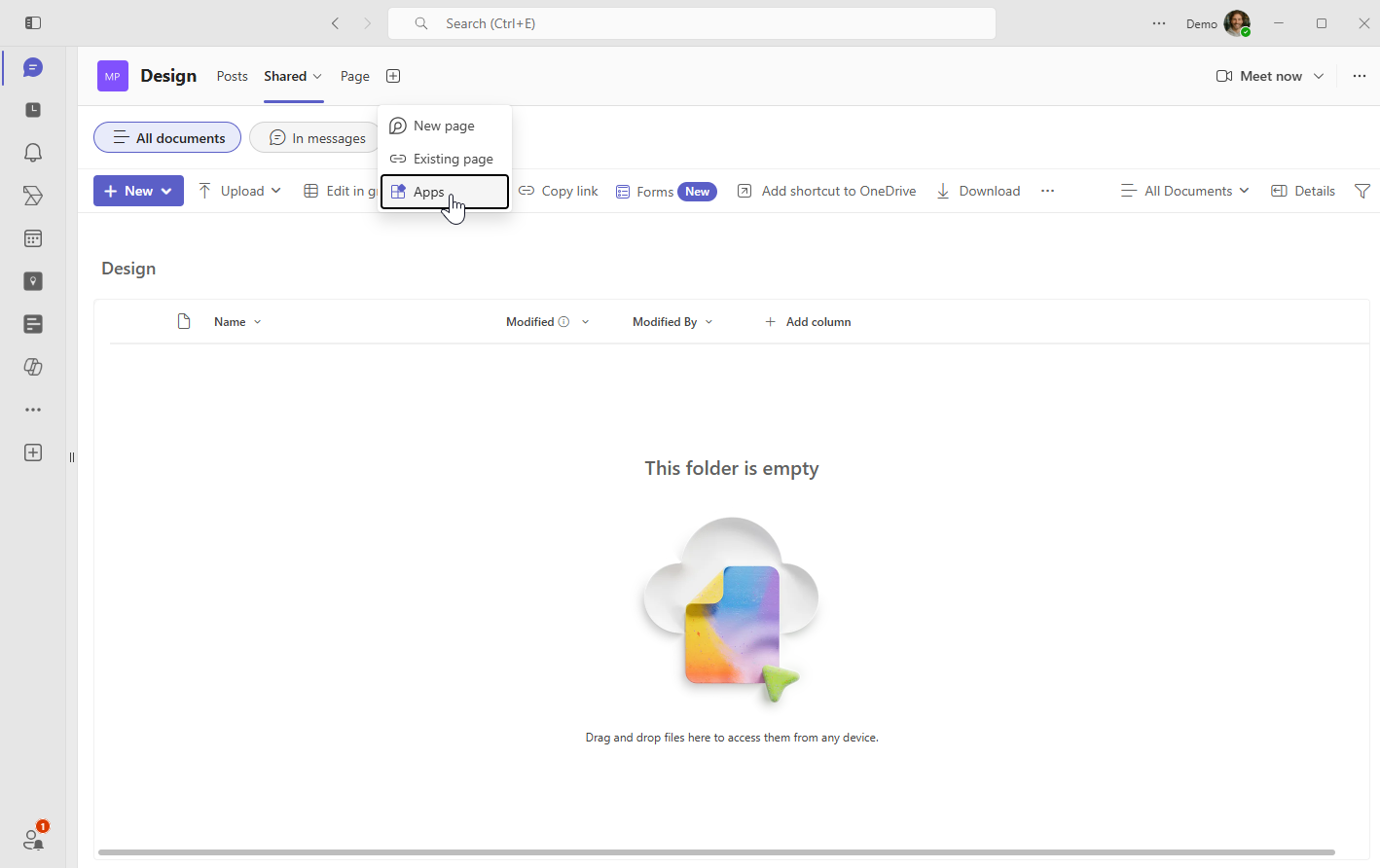
Open the channel or group chat where the absence calendar should live. Select Add a tab, choose Apps, search for Team Absence, and add the app.
You can also open Apps from the Microsoft Teams navigation, search for Team Absence, and follow the prompts to add it to the relevant channel or chat.
If Microsoft Teams apps require IT approval, send your administrator the Team Absence security information for assessment. Team Absence is built with privacy and security at its core.
Create a board or join an existing board
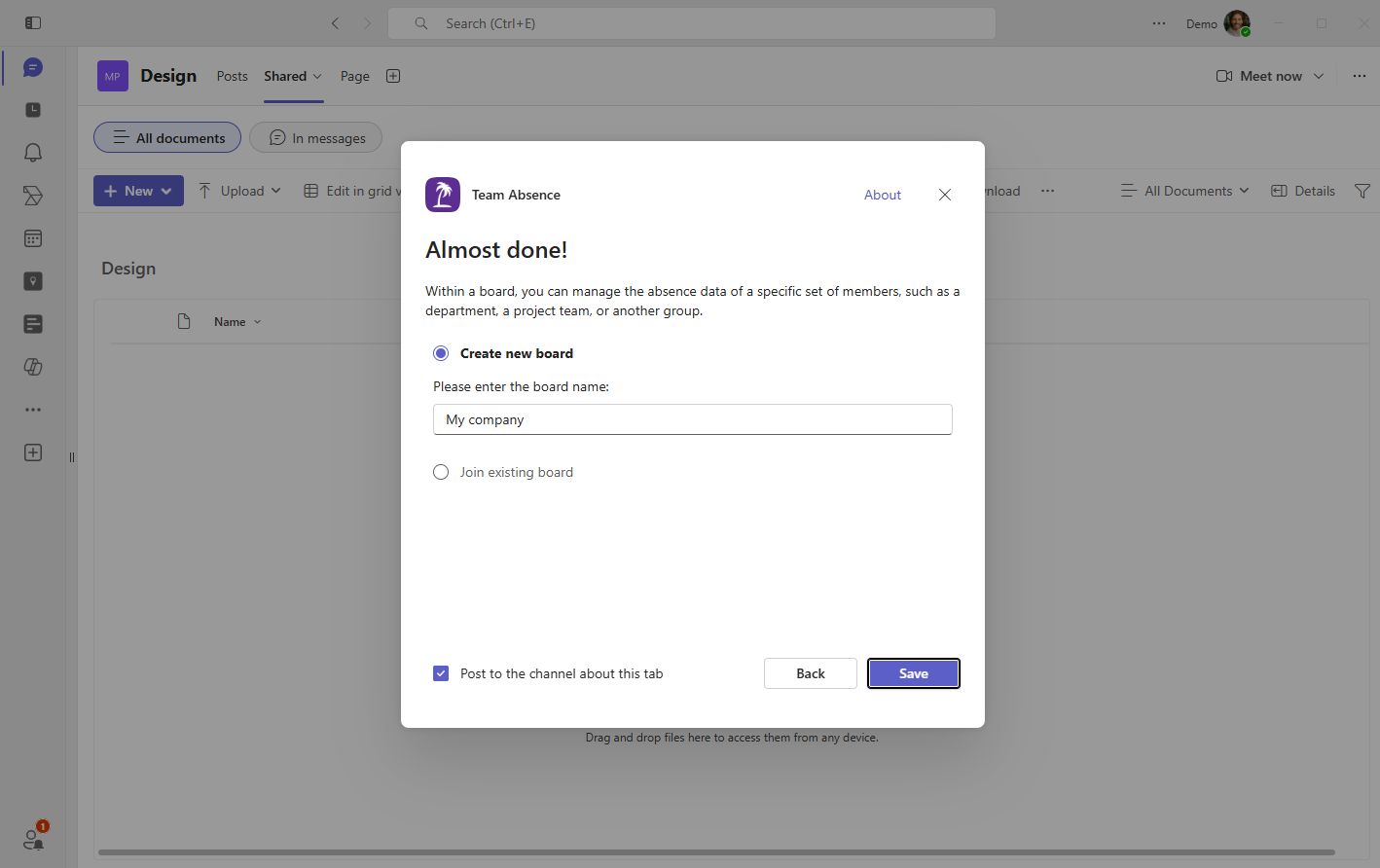
When Team Absence opens, choose Create new board if this team needs a new workspace. Give it a recognizable name such as the department, project, location, or company name.
Choose Join existing board when another Microsoft Teams channel should use an absence board that already exists. This keeps the same absence information available in several relevant places without creating disconnected copies.
Add the colleagues who plan together
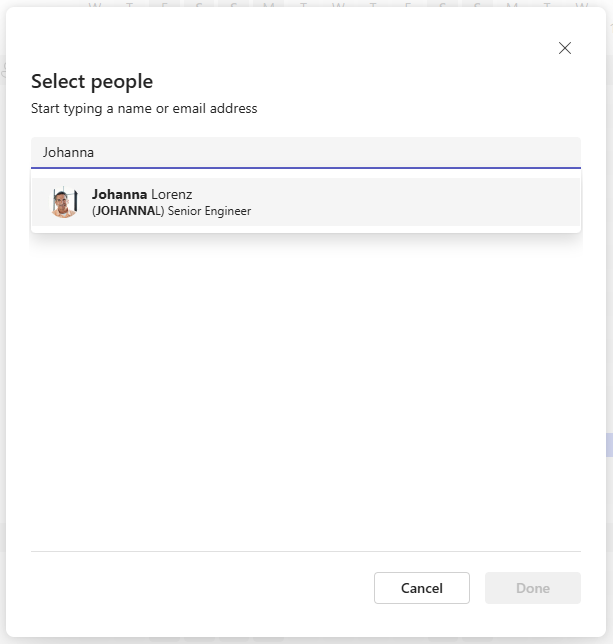
Add the employees whose availability should appear on the board. Search your Microsoft 365 organization and select the relevant colleagues instead of maintaining another employee directory.
Begin with the people who actively coordinate work. Team Absence works with a simple member list—no groups are required. Add groups later only when a larger board needs additional structure.
Add the first PTO absence
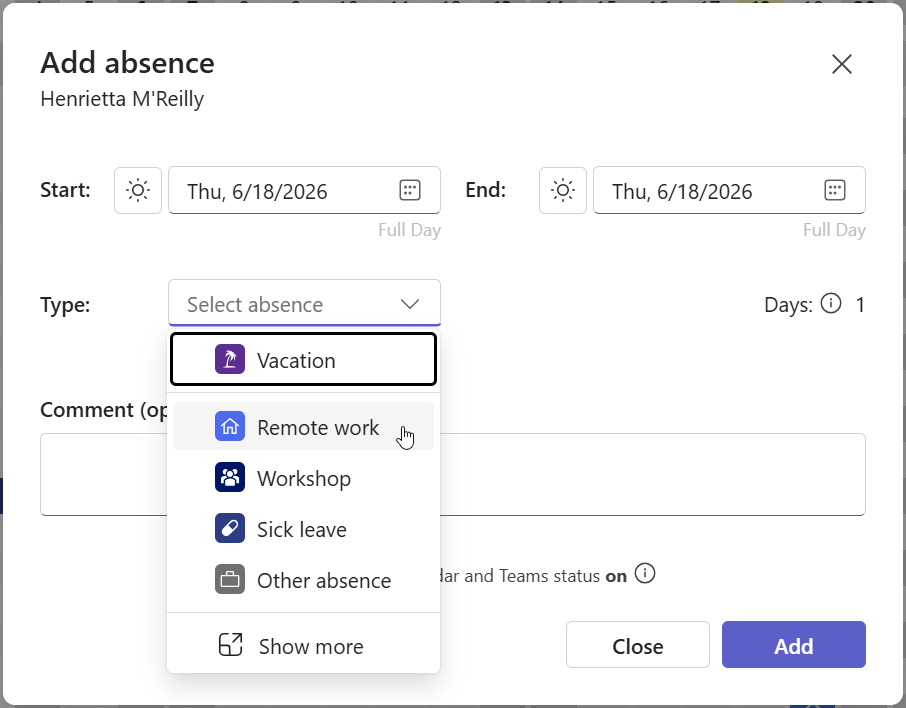
Open the Team View or Personal View and add your first absence. Select PTO or any other available absence type, choose the start and end dates, and add a short note only when it gives the manager useful context.
Submit the entry. If approval is not required, it can appear immediately. If approval is enabled for that entry type, the request receives a visible status and is sent to the appropriate approver.
- Choose the correct absence type.
- Select the date or date range.
- Use a half day when appropriate.
- Add only relevant, privacy-conscious context.
- Create the absence.
What is a Team Absence board?
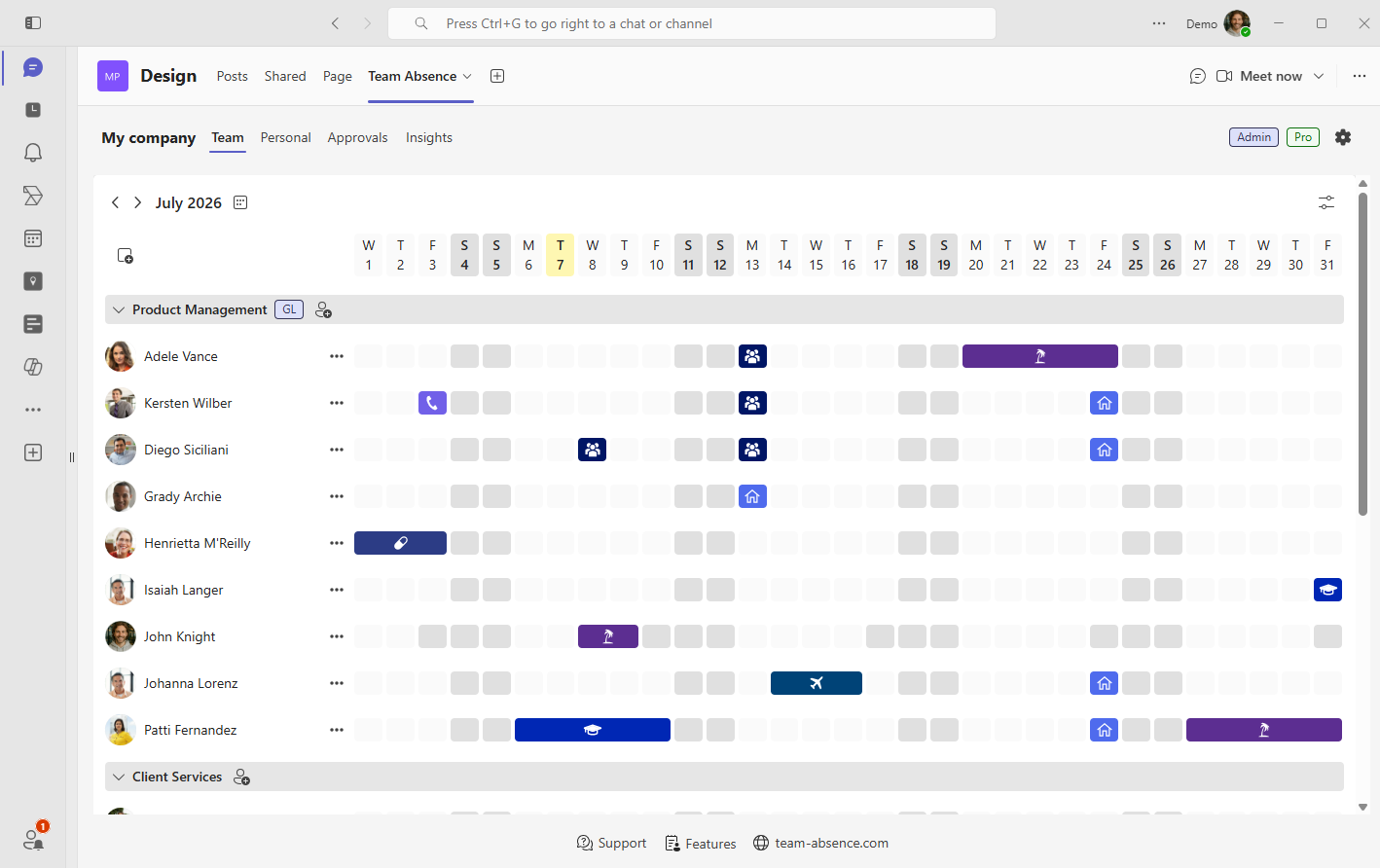
A board is the shared workspace in which a defined set of members manages and views absence information. It can represent a team, department, project, location, cross-functional group, or an entire company.
Boards work independently, which keeps each planning context focused. You can start with a flat member list and introduce groups later to structure the board as the team gets bigger. Organize members around the colleagues who genuinely plan work together.
- See who is absent across a date range.
- Identify overlapping vacation or PTO.
- Distinguish leave from remote work and other entry types.
- Plan coverage, handovers, meetings, and deadlines.
- Review the same availability information as the rest of the team.
Extend the absence workflow with approvals and Outlook
The shared board and structured entries form the core absence workflow. Add approvals or Outlook synchronization when the team needs them; neither feature requires a complicated initial board setup.
Add an approval workflow where manager review matters
Approval can be enabled for selected absence types such as vacation, PTO, or remote work. Employees submit these entries as requests, and managers can approve or reject them directly in Team Absence. The current status stays visible to everyone involved.
→ Learn more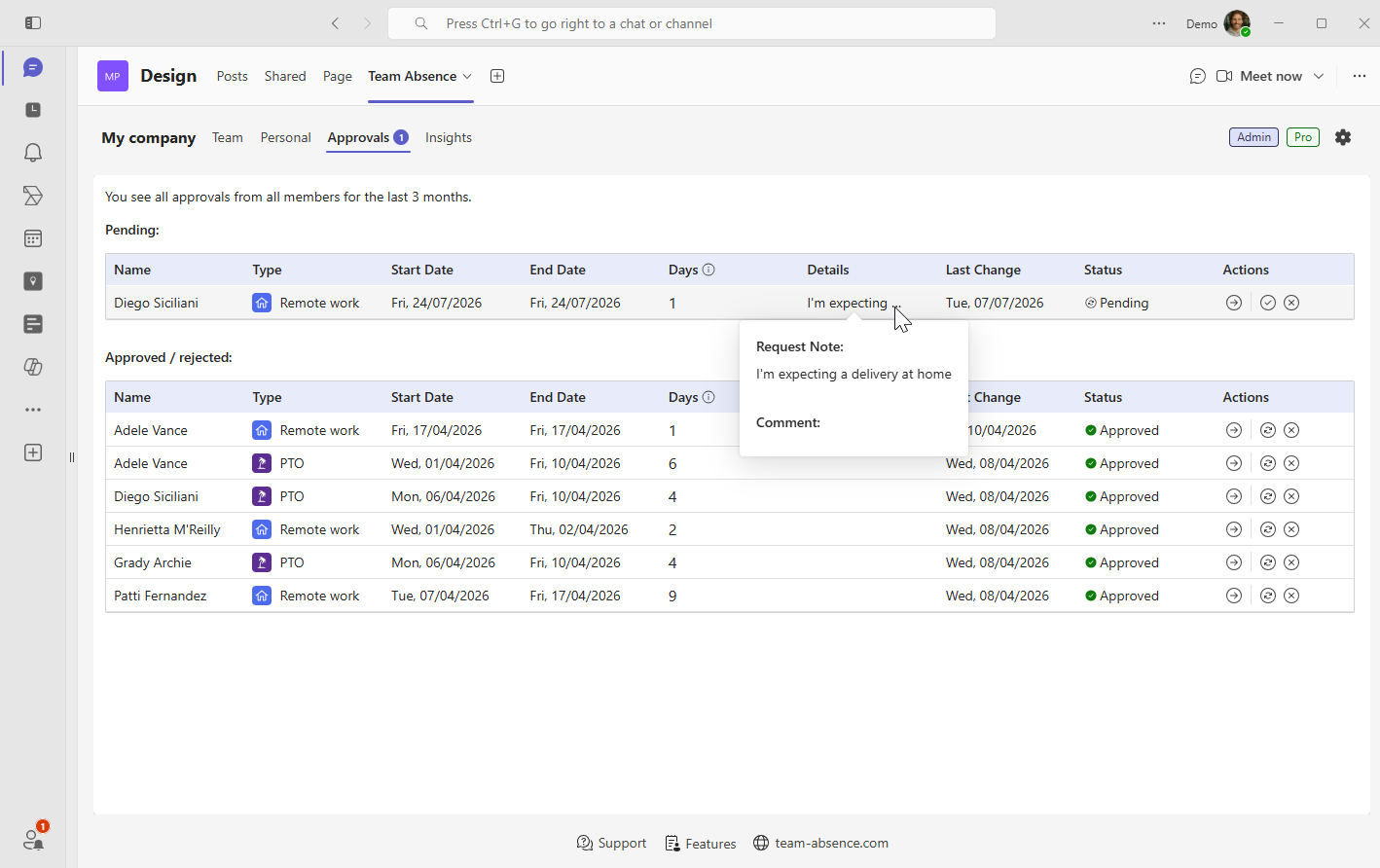
Keep Outlook informed about planned absence
Team Absence automatically sends a real Outlook meeting invitation for planned absences and keeps it up to date when dates change. The synchronization is designed with privacy and security in mind. Microsoft Teams Out of Office primarily manages presence status and automatic replies, while Team Absence automates the related Outlook calendar entry.
→ Learn more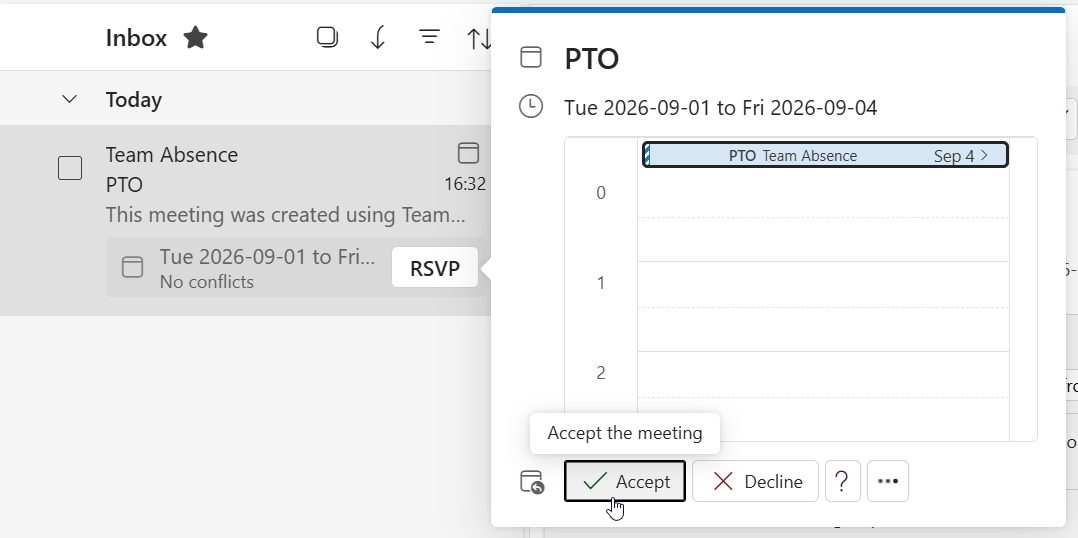
A practical rollout checklist
Test the workflow with a small group before expanding it. A dependable routine matters more than a complex configuration.
- Add one real PTO absence and confirm the dates in the Team View.
- Agree which entry types the team should use.
- Keep comments short, relevant, and privacy-conscious.
- If approvals are enabled, verify the approver and visible request status.
- If Outlook sync is enabled, confirm that the invitation reaches the intended calendar.
- Use Team Absence as the primary team planning record instead of maintaining parallel spreadsheets and chat threads.
When people record changes where they already work, the absence calendar is more likely to stay current enough for everyday planning.
Absence management in Microsoft Teams: FAQ
Can Microsoft Teams be used for absence management?
Yes. Microsoft Teams can host apps and workflows for employee absence management. Team Absence provides a dedicated absence management workspace for vacation, PTO, sick leave, remote work, and other entry types directly inside Microsoft Teams.
Do employees need a separate Team Absence account?
No. Employees use their existing Microsoft Teams identity, while colleagues can be selected from the Microsoft 365 organization directory. Guest users are supported as well.
What is the difference between a Team Absence board and a group?
A board is the complete Team Absence workspace for a team, department, project, or company. Groups are optional sections within a board that help organize members when the board grows. Team Absence works without groups.
How does an employee request PTO in Microsoft Teams?
The employee opens Team Absence, starts a new entry, selects PTO or Vacation, chooses the dates, adds an optional note, and submits the entry. If approval is enabled for that absence type, Team Absence sends it to the designated approver for review.
Can Team Absence manage remote work as well as leave?
Yes. Remote Work can be a separate entry type, so coworkers can distinguish a work-from-home day from time when someone is unavailable.
Does Team Absence synchronize absences with Outlook?
Team Absence can send connected Outlook meeting invitations for planned absences and later date updates. It does not require general read or write access to employees' Outlook calendars. → Learn more
Is Team Absence a payroll system?
Team Absence is not payroll software. It supports absence and capacity planning, structured entries, approvals, shared visibility, and calendar synchronization inside Microsoft Teams.
What if my organization restricts Microsoft Teams apps?
If your organization restricts Microsoft Teams apps, a Microsoft Teams administrator may need to approve or allow Team Absence before installation. IT administrators can review the security information for details about permissions and data handling. → Security
Start absence management in Microsoft Teams today
Add Team Absence to your Microsoft Teams channel, create or join a board, select the colleagues who plan together, and record the first absence. The core setup takes only a few minutes—without a separate login or a complicated configuration project.
Your team gets an immediate, dependable view of PTO, vacation, remote work, and other availability inside Microsoft Teams. Add approvals and Outlook synchronization whenever the workflow needs them.